Personal AI Agents. Less mental load. More done.
Your Own AI Agents,
Free to Download
One command center. Multiple private agents, each one powered by the open-source Hermes Agent under the hood. Your data stays on your machine. The software is free. Pay only if you want my time.
Support and installation are separate bookings. Questions first? Message me on LinkedIn.
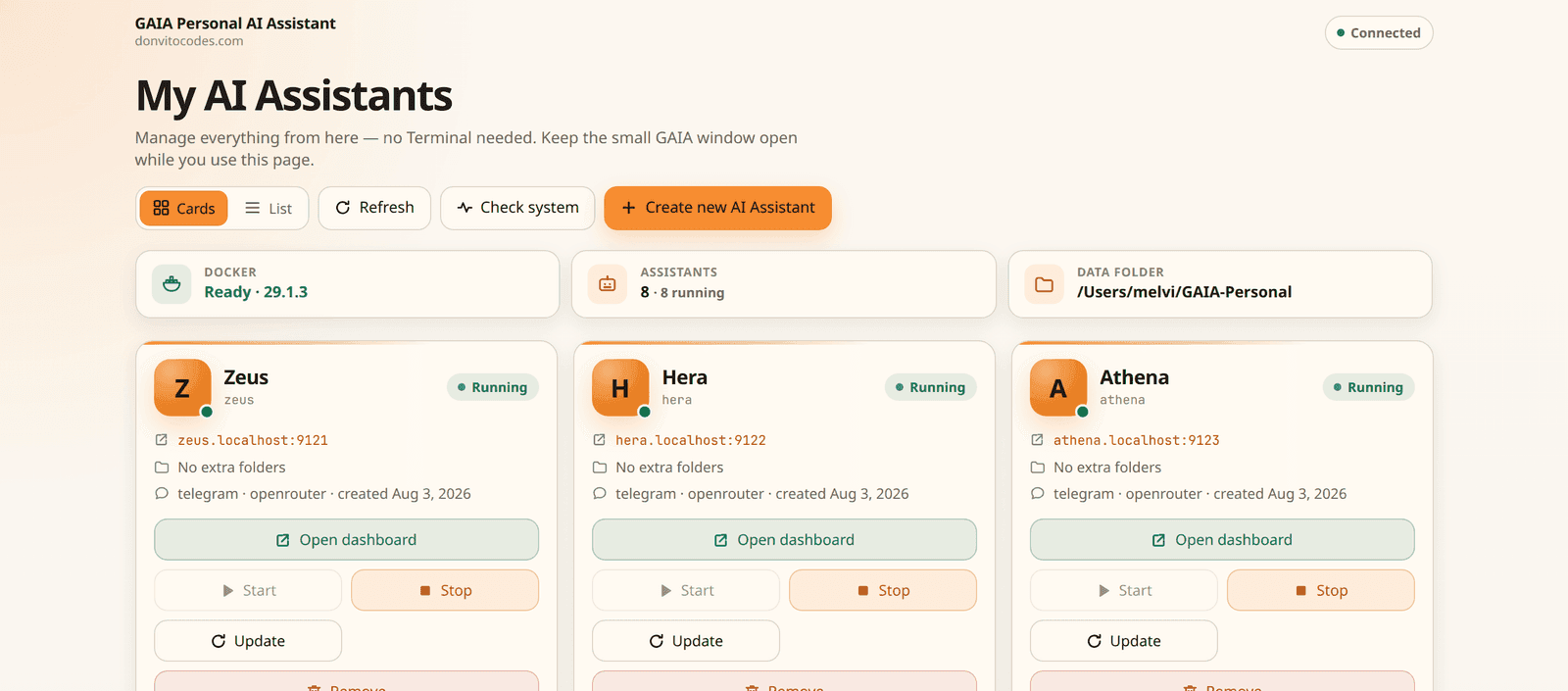
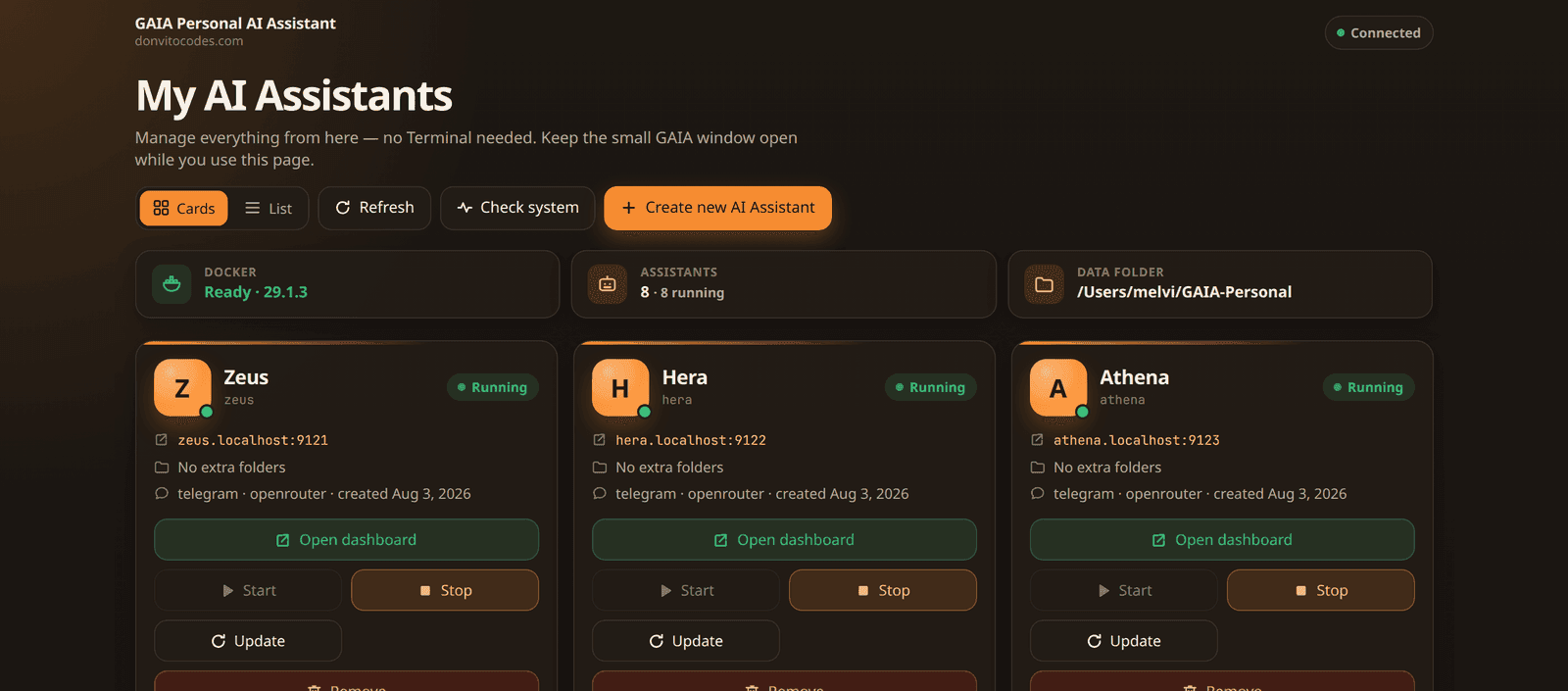
The GAIA command center: start, stop, and update your agents from one screen. Every agent it runs is the open-source Hermes Agent under the hood.
It Does the Work, Not Just the Answers
Your agent creates files, schedules posts, and runs reminders on its own. Here's what that looks like on one computer.
Work Agent
Creates real files for you
Content Agent
Posts and schedules for you
Family Agent
Runs on a schedule for you
What's Possible with Hermes
Private, personalized AI assistance for individuals, families, and SMEs. Here's a taste of what people set up
Everyday Life & Planning
- Personal organization and daily planning
- Calendar and appointment management
- Smart reminders and deadline tracking
- Email and message organization
- Meeting preparation and follow-up
- Travel planning and itinerary management
- Health and wellness tracking
- Finance and investment summaries
Family & Home
- Family coordination and household administration
- Personalized learning and study assistance
- Smart home monitoring and automation
- Sensor, alert, and notification workflows
- Local business and service research
Work & Business
- Business operations and administrative support
- Customer, client, and relationship management
- Follow-up reminders and personalized message drafting
- Lead organization and sales follow-up
- Customer feedback collection and analysis
- Real estate and property research
- Software development and technical assistance
Research, Learning & Creative
- Research, comparisons, and recommendations
- Document summarization and information extraction
- Personal knowledge management and searchable notes
- News monitoring and concise briefings
- Creative writing, brainstorming, and content development
- Social media content creation and scheduling
- Video, image, and audio content workflows
- Workflow automation across apps and services
So, What Exactly Is GAIA?
GAIA (General Artificial Intelligence Agent) is not an AI agent itself. It's a simple orchestrator: think of it as a command center where you start, stop, and update the AI agents living on your own computer instead of in the cloud.
The agent you actually chat with is always Hermes Agent, a respected open-source AI agent, still Hermes under the hood, no matter how many agents you run. GAIA supports Hermes today and can support more agent software in the future. It simply handles the technical parts: setting agents up, keeping them separate, making backups, and updating them.
Assistants like ChatGPT are convenient for answers in a browser, but everything you tell them lives on someone else's servers, and they don't create files on your computer or run jobs on a schedule. Your agents can do real work on the machine in front of you, and your files and conversations stay with you.
- Have one agent or five. They all share one computer
- Each one is completely walled off from the others
- Turn them on and off like apps, from one simple screen
💡 Prefer just Hermes on its own, without GAIA? I can install that for you too. Book the installation call (a separate booking from support) and tell me you just want Hermes.
Work Agent
Can see: Work folder (look only) • Chats in your browser
Home Agent
Can see: Recipes & notes • Chats on Telegram
Family Agent
Can see: School folder • Chats in the family group
Quick comparison
ChatGPT versus AI Agent
ChatGPT is great for conversation. An AI agent is for when you want software that lives on your computer and does the work.
| Aspect | ChatGPT | AI Agent |
|---|---|---|
| Where it runs | In a browser tab / cloud app | On your own computer |
| What it does | Answers and drafts you copy elsewhere | Creates real files and documents for you |
| Scheduled work | Stops when you close the tab | Runs on a schedule: reminders, briefings, recurring jobs |
| Everyday examples | Chat, brainstorm, rewrite text | Social posts, follow-ups, hourly stock check-ins during trading hours |
| Your data | Lives on someone else's servers | Stays on your machine |
| How you organize it | One general chat for everything | Separate agents for work, home, and family |
| AI models | Tied to one provider (OpenAI, Anthropic, or Google) | Pick any model by capability and budget, and switch anytime |
Why People Choose GAIA
Everything you want from a personal AI, without handing over your life to a cloud service
One for Work, One for Home, One for the Family
Set up as many agents as you like on the same computer. Each one has its own memory and its own space. Your work agent never sees your family chats, and vice versa.
Everything Stays on Your Computer
Your conversations and files live in a folder on your own machine, not on some company's servers. Nobody else can browse them, train on them, or lock you out of them.
You Decide What It Can See
Point each agent at the folders you choose, and nothing else. Give your work agent your work documents, keep everything else off-limits. You can make folders look-but-don't-touch too.
Pick the Model That Fits Your Budget
You're not locked into one company. Choose from many AI models (OpenAI, Anthropic, Google, and more affordable options) and switch based on what each job needs and what you're happy to spend.
Pay Only for What You Use
Top up an AI service like OpenRouter yourself with no middleman markup. Or, if you don't want to maintain an OpenRouter account, buy credits from me with just a 5% admin fee per top-up.
Message It from Your Phone
Connect each agent to its own Telegram or Discord chat and text it from anywhere, while everything keeps running and stays on the computer at home.
A Simple Control Panel
Every agent gets its own password-protected page in your browser where you can chat with it and see what it's doing. No technical dashboards, no confusing settings.
Worry-Free Updates
One click keeps your agents up to date. GAIA always makes a safety copy of everything first, so an update can never lose your agent's memory.
No Tech Skills Needed
Double-click to start and a friendly setup wizard opens in your browser and walks you through everything. Get stuck? Book a support call. Prefer I set it up with you? Book a separate installation call.
Up and Running in Four Easy Steps
Download free. No commands to type. No code. Just a wizard in your browser.
Install One Free App
GAIA runs on top of a free app called Docker Desktop. You install it once, like any other program, and never think about it again.
Open GAIA
Double-click the GAIA starter. Your web browser opens a friendly setup screen: no typing commands, no scary black windows.
Answer a Few Questions
Give your agent a name, paste in your AI service key, and tick the folders it's allowed to see. GAIA does the rest.
Say Hello
Chat with your new agent in the browser, or connect it to Telegram and message it from your phone. Add more agents whenever you like.
Need help? Book a support call.
Already downloading or using GAIA and stuck on a step? Book a support call. This is help using the software, not a full install session.
Book a Support CallWant it installed with you?
Book a 2-hour hands-on installation call and I'll personally guide you from zero to chatting. This is a different booking from support.
Book the Installation CallWhat You'll Need
One Free Helper App
Docker Desktop. GAIA runs on top of it. Install it yourself, or we can install it together on an installation call.
AI Access (Your Key or My Credits)
Use your own OpenRouter key, or buy credits from me with a 5% admin fee per top-up, then pick models by capability and budget.
A Regular Computer
Mac or Windows, with about 2 GB of free memory per agent. Most laptops handle several.
Get GAIA
The software is free to download. Book a call only if you need help, or if you want me to install it with you.
Download GAIA
Free • at your own pace
Get GAIA from GitHub, open the setup pack, and follow the wizard in your browser. No payment, no account with me.
- Free to download, keep, and run on your computer
- Friendly setup wizard walks you through everything
- Step-by-step user guide included
- Full source code on GitHub, so you can see exactly what runs
Support Call
Need help using GAIA?
Already downloading or running GAIA and stuck? Book a support call. This is help with the software, not a full install session.
- Troubleshooting and how-to questions
- Walk through a step you're stuck on
- Advice on agents, folders, models, and updates
- A different booking from the installation call
For help after you've downloaded GAIA. Not a hands-on install.
Installation Call
2-hour video call • we do it together
Want me to install it with you from zero to chatting? Book the installation call. This is a separate session from support.
- Live video call: I guide, you click, nothing is left half-done
- We set up your agents together (work, home, family, your choice)
- Connect Telegram so you can message your agent from your phone
- Learn the basics: folders, updates, and safety copies
Hands-on GAIA / Hermes installation (2 hrs). Separate from support.
Just a quick question?
Connect with me on LinkedIn and send a message. I'll reply personally. For hands-on help, book support or installation above.
No call needed — just send a message.
Frequently Asked Questions
Your Own AI. On Your Own Computer. Free to Download.
Set up agents for work, home, and family, all on one machine, all completely yours. Book a support call if you need help, or a separate installation call if you want me to set it up with you.
Support and installation are separate bookings. Quick question? Message me on LinkedIn.
GAIA (General Artificial Intelligence Agent) is powered by the open-source Hermes Agent by Nous Research. GAIA is an independent product by DonvitoCodes and is not an official Nous Research product.